Joy Panda Walk
Home / Starter Projects / Joy Panda Walk
What Students Do:
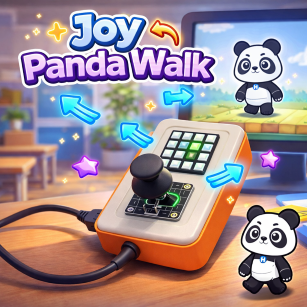
Students use the joystick on CodyJoy Pro to control a Panda sprite on the screen, moving it up, down, left, and right.
Each time the Panda moves, a corresponding LED on the 4×4 RGB panel briefly blinks, creating a clear link between the
physical device and the on-screen character.
Hands-On Activity:
Students map joystick directions to sprite movement and add LED feedback for each move. They test responsiveness,
refine blink timing, and optionally change which LED represents each direction to match their design.
Why It Matters:
Joy Panda Walk introduces event-based thinking and interactive design. Students learn how hardware inputs can control
digital experiences while receiving instant feedback from the device—an important foundation for games and smart devices.
How to Get and Run the Code:
Open the project page and use the Source Code button to open it in the mBlock IDE. Then connect your device and upload.
- On the project page, click Source Code to open it in the mBlock application.
- Connect CodyJoy Pro using a USB cable.
- Select the correct device and port in mBlock, then click Upload.
- Move the joystick to control the Panda and observe the LED blink feedback.