Joy Pixel Walker
Home / Starter Projects / Joy Pixel Walker
What Students Do:
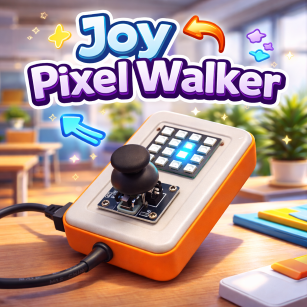
Students use the joystick on CodyJoy Pro to move a single glowing pixel across the 4×4 RGB LED panel.
Each joystick direction moves the pixel one step, allowing students to visually explore how physical input
controls digital movement.
Hands-On Activity:
Students map joystick directions to pixel movement on the LED grid. They experiment with boundaries to prevent
the pixel from moving outside the panel and can modify the pixel color or starting position to personalize
the experience.
Why It Matters:
Joy Pixel Walker introduces core coding concepts such as direction, coordinates, and input–output mapping.
It helps students understand how hardware controls software behavior and builds confidence for more advanced
interactive and game-based projects.
How to Get and Run the Code:
Open the project page and use the Source Code button to open it in the mBlock IDE. Then connect your device and upload.
- On the project page, click Source Code to open it in the mBlock application.
- Connect CodyJoy Pro to your computer using a USB cable.
- Select the correct device and port in mBlock, then click Upload.
- Move the joystick to guide the pixel around the LED panel.